Hands-on tools · The mastering course
Mastering the Piano
Twelve lessons on the piano: the keys, chords by hand, the six pads, chord patterns, your own pattern, 34 sounds, playing along, the drum machine, and the 1987-to-2026 Sound dial.
How to use this course
There are 12 short lessons. Do them in order, with the piano open next to this page.
Every lesson works the same way:
- Read the short part at the top. It says what the controls do.
- Try it: do the numbered steps, one at a time, on the real piano.
- Listen for: what you should hear if it worked.
- Check yourself: if you can't tick a box yet, do the steps again.
Before you start
- Use headphones or real speakers. Small laptop speakers lose the low notes.
- The piano has its own 38 lessons too. Pick one in the Lesson menu and its steps tick themselves.
Words you'll see
- Key: two meanings. A key you press, and the key of a song: its home note. The Key menu is the second one.
- Chord: three or more notes played together.
- Pad: one of the six big buttons. Each plays a chord.
- Bar: four beats. Each chord in a pattern lasts one bar.
- Octave: from one note to the next note with the same name.
- Tempo: how many beats in a minute.
- Major / Minor: bright / moody.
Lesson 1 — Find your way around
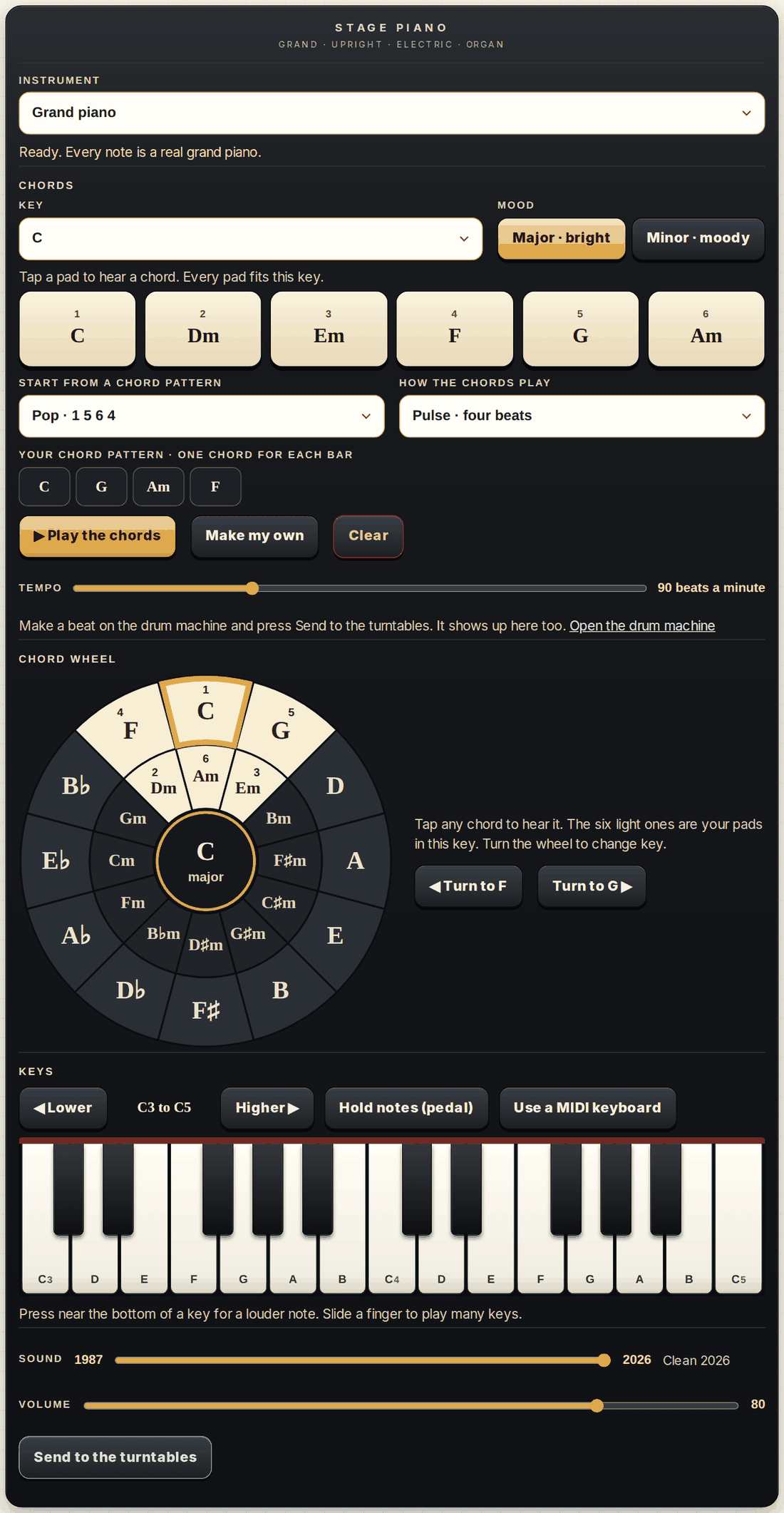
The piano has four parts, from top to bottom: Instrument, Chords, Keys, and the Sound dial.
Try it:
- Open Instrument and pick Grand piano. Wait until the line under it says Ready.
- Tap pad 1, then pad 4, then pad 5, then pad 1 again.
- Tap three keys on the keyboard: one low, one in the middle, one high.
Listen for: A pad plays three or more notes at once: a chord. A key plays one note.
Check yourself:
- I can point to the Instrument menu, the pads, the pattern menu, Play, the keys and the Sound dial.
- I heard the difference between a chord and one note.
Lesson 2 — A song in two taps
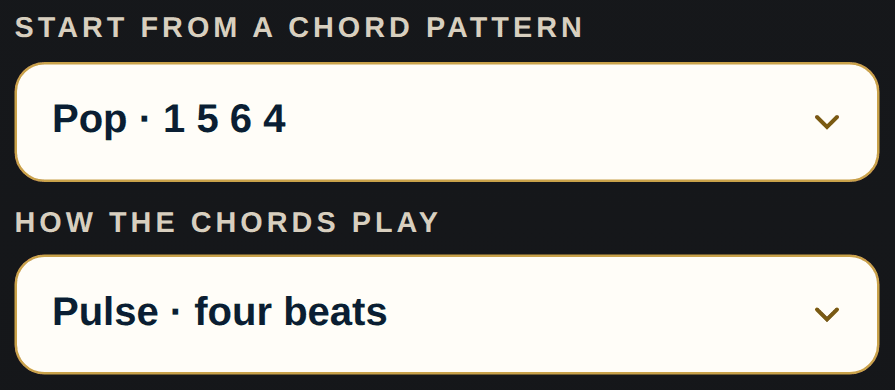
A chord pattern is a short list of chords that repeats. Each chord lasts one bar: four beats.
Try it:
- Under Start from a chord pattern, pick Pop · 1 5 6 4.
- Press Play the chords. Count 1 2 3 4 out loud.
- Slide Tempo left, then right.
- Press Stop.
Listen for: A new chord starts on every 1. The chord playing now lights up in your pattern, on the pads and on the keys.
Check yourself:
- I can start and stop a pattern.
- I can make it faster and slower.
- I counted four beats for each chord.
Lesson 3 — The keys: names and octaves
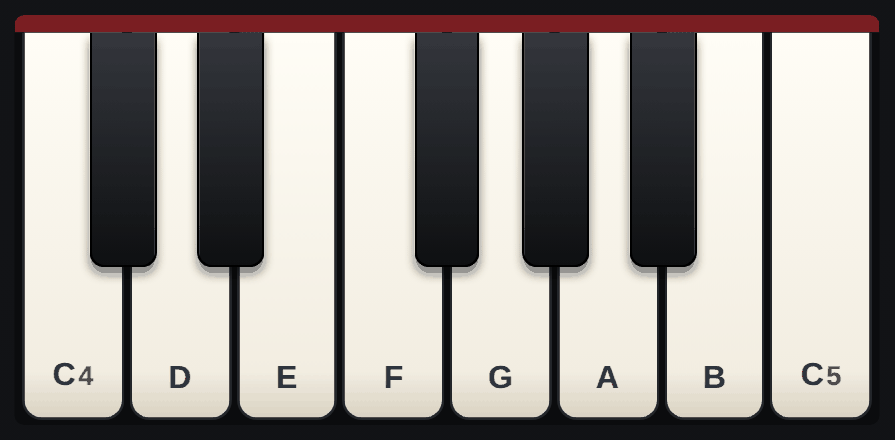
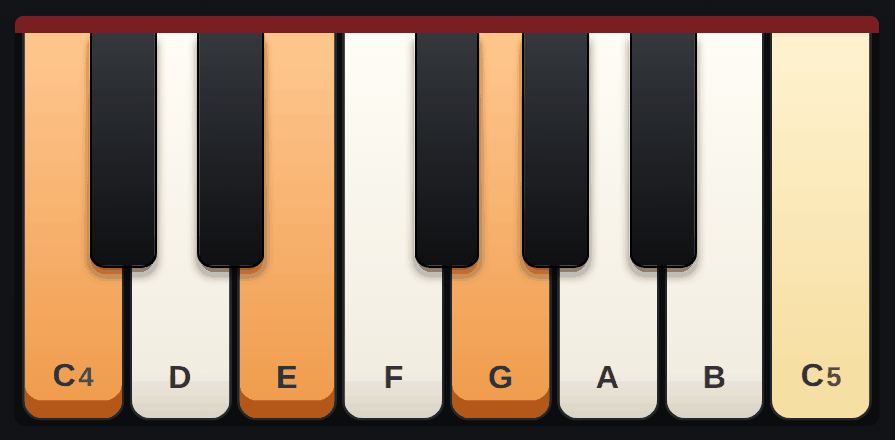
The white keys are named C D E F G A B, then the names start again. Each C sits just left of a group of two black keys.
From one C to the next is an octave. The small number on each C says which one: C4 is middle C. One octave up, the string shakes twice as fast: A4 is 440 times a second, A5 is 880.
Try it:
- Find every C you can see.
- Play C D E F G A B C going up, then come back down. That is the C major scale.
- Press Higher ▶ and play C again. Then press ◀ Lower twice and play it once more.
Listen for: Notes an octave apart sound like the same note, higher or lower. That is why they share a name.
Check yourself:
- I can find C without reading the names.
- I can play the C major scale up and down.
- I can move the keyboard up and down an octave.
Lesson 4 — Touch: soft, loud and the pedal
Where your finger lands sets how hard the note is played. Near the bottom of a key is loud. Near the top is soft. On a computer, click high or low on a key; the letter keys always play medium. A MIDI keyboard sends how hard you press.
Hold notes (pedal) works like the right pedal of a real piano: notes keep ringing after you let go. On a computer, hold Shift.
Try it:
- On the Grand piano, play one key four times, from the top edge to the bottom edge.
- Press Hold notes (pedal). Play C, E, G, C going up. Let go of every key.
- Press Hold notes again to lift the pedal.
Listen for: The grand piano gets louder and brighter when you play hard. With the pedal on, the notes ring together until you lift it.
Check yourself:
- I can play soft and loud on purpose.
- I can turn the pedal on and off.
Lesson 5 — Chords by hand: major and minor
A chord is three or more notes played together. Play one key, skip one, play one, skip one, play one.
C E G is C major: bright. Move the middle note down one key to E♭ and you get C minor: moody.
Try it:
- Hold C, E and G with your thumb, middle finger and little finger. On a computer, hold A, D and G.
- Slide your middle finger to E♭, the black key just left of E.
- Move the same hand shape up: F A C, then G B D.
Listen for: Major sounds bright and settled. Minor sounds moody. Only one note changed.
Check yourself:
- I can play C major and C minor by hand.
- I can play F major and G major by hand.
Lesson 6 — The six pads
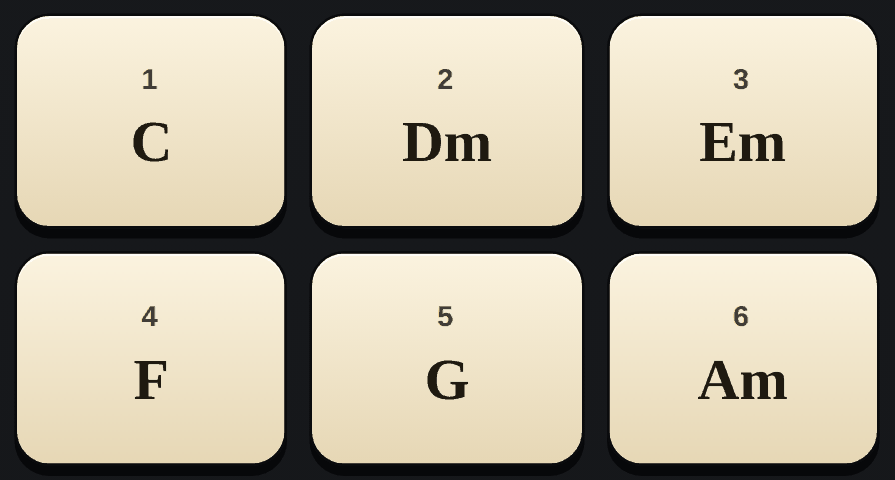
In every key, a handful of chords fit together. The six pads show them, numbered by the step of the scale they start on. Pad 1 is home.
In Major, pads 1, 4 and 5 are major and pads 2, 3 and 6 are minor. In the key of C they are C, Dm, Em, F, G and Am. In Minor the pads become 1, 3, 4, 5, 6 and 7.
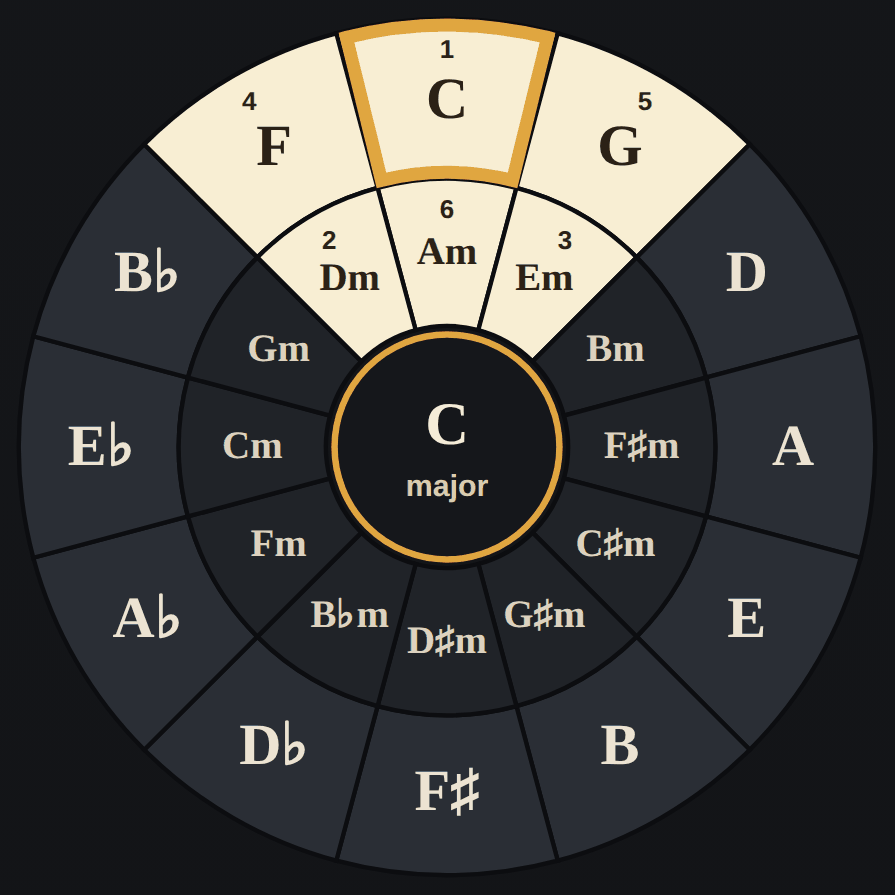
The Chord wheel puts all 24 major and minor chords in a circle. The majors go round the outside, each one's minor just inside it. In any key the six pads sit side by side: three on each ring. One step clockwise adds a sharp.
Try it:
- Set Key to C and Mood to Major. Tap the pads from 1 to 6.
- Tap 5, then 1.
- On the Chord wheel, press Turn to G ▶. The six light chords move one step. Tap them: G, Am, Bm, C, D, Em.
- Press Minor · moody and tap them once more.
Listen for: 5 then 1 sounds like coming home. Every key has the same pull.
Check yourself:
- I can name the six pads in the key of C.
- I can hear 5 going home to 1.
- I can find the six pads of any key on the chord wheel.
Lesson 7 — Forty-four patterns, sixteen ways to play
The pattern menu holds forty-four chord patterns that songs use again and again, in five groups. Here they are in the key of C (the minor ones in A minor):
Pop, rock and folk
- Pop · 1 5 6 4: C, G, Am, F
- Fifties · 1 6 4 5: C, Am, F, G
- Sad pop · 6 4 1 5: Am, F, C, G
- Anime and J-pop · 4 5 3 6: F, G, Em, Am
- Canon · 8 chords: C, G, Am, Em, F, C, F, G
- Three chords · 1 4 5 1: C, F, G, C. Folk, country and rock are full of it.
- Fiesta · 1 4 5 4: C, F, G, F. The loop of “La Bamba” and early rock and roll.
- Rock · 1 ♭7 4 1: C, B♭, F, C. B♭ is not one of the six pads: it comes from outside the key. Find it on the chord wheel.
- Hymn and gospel · 1 4 1 5: C, F, C, G. Try it on the church organ.
- Around the wheel · 3 6 2 5 1: E7, A7, D7, G7, C. Each chord is one step round the chord wheel, back home to C.
- Rock anthem · 1 4 6 5: C, F, Am, G
- Uplifting pop · 1 3 6 4: C, Em, Am, F
- Folk rock · 1 5 2: C, G, Dm, Dm
- Dreamy · 1 3 4 4m: C, E, F, Fm. The E and the F minor come from outside the key: find them on the chord wheel.
- Country · 8 bars: C, C, F, F, G, G, C, C
Rock and metal
- Arena rock · 1 5 4 4: C, G, F, F
- Two-chord rock · 1 ♭7: C, B♭, C, B♭
- Grunge · 1 4 ♭3 ♭6: C, F, E♭, A♭
- Walk round the wheel · ♭6 ♭3 ♭7 4 1: A♭, E♭, B♭, F, C. Each chord is a fifth from the next, walking round the wheel to C.
- Metal march (A minor): Am, F, G, Am
- Dark and heavy (A minor): Am, B♭, Am, B♭. Two chords a half step apart, heavy and dark.
- Doom (A minor): Am, E♭, Dm, Am. The E♭ sits halfway between one A and the next: a dark, heavy sound.
Soul, funk and dance
- Soul · 1 3 4 5: C, Em, F, G
- Funk · 1 4 with sevenths: C7, C7, F7, C7
- Two-chord groove · 1 4: C, F, C, F
- Dance · 6 5 4 5: Am, G, F, G
- Lo-fi · 4 3 2 1: Fmaj7, Em7, Dm7, Cmaj7. Soft seventh chords, stepping down.
- Neo-soul · 2 5 1 6: Dm7, G7, Cmaj7, Am7
Blues and jazz
- Blues · 12 bars: C7 four times, F7 twice, C7 twice, G7, F7, C7, G7
- Jazz · 2 5 1: Dm7, G7, Cmaj7, Cmaj7
- Jazz turnaround · 1 6 2 5: Cmaj7, Am7, Dm7, G7
- Minor blues · 12 bars (A minor): Am7 four times, Dm7 twice, Am7 twice, E7, Dm7, Am7, E7
- Blues · 8 bars: C7, G7, F7, F7, C7, G7, C7, G7
- Quick-change blues · 12 bars: C7, F7, C7, C7, F7, F7, C7, C7, G7, F7, C7, G7
- Jazz blues · 12 bars: C7, F7, C7, C7, F7, F7, C7, A7, Dm7, G7, C7, G7
- Bossa nova · 1 2 5 1: Cmaj7, Dm7, G7, Cmaj7. The gentle sound of Brazil.
- Circle · 6 2 5 1: Am7, Dm7, G7, Cmaj7
Minor and moody (A minor)
- Minor groove: Am, F, C, G
- Flamenco: Am, G, F, E
- Minor folk: Am, Dm, E, Am
- Epic: Am, G, F, G. A big film-score sound.
- Minor ballad: Am, Dm, G, C
- Heroic: Am, C, G, D
- Latin rock: Am7, D7, Am7, D7
The sixteen ways to play
- Steady: Hold, one long chord. Pulse, the chord on each beat. Eight a bar, the chord on every half beat, for pop and rock. Triplets, three chords to each beat, like a 1950s ballad.
- Flowing: Broken, one note at a time (an arpeggio). Ballad, from the low notes up through the chord and back down. Sweep, every note from low to high, quick as a harp.
- Dance: Oom-pah, a low note, then the chord, like a march. Waltz, oom-pah-pah, three beats to a bar. Charleston, on 1 and just before 3, from 1920s jazz. Boogie-woogie, the low notes walk up and down, like blues piano. Disco, low notes bouncing between two octaves.
- Grooves from around the world: Off-beat, between the counts, like reggae and ska. Three-three-two, count 1 2 3, 1 2 3, 1 2, as in Latin music and reggaeton. Bossa nova, the gentle rhythm of Brazil. Funk, short chords that jump around the beat.
Try it:
- Try three patterns. Let each one go round twice.
- While one plays, change How the chords play. Start with Hold, Pulse, Broken and Off-beat, then try the others.
- Pick the pattern and the way of playing you like best.
Listen for: Hold is calm. Pulse is steady. Broken flows, one note at a time (an arpeggio). Off-beat bounces between the counts, like reggae and ska.
Check yourself:
- I tried at least three patterns.
- I can name four ways the chords can play.
Lesson 8 — Make your own pattern
Press Make my own and tap the pads in the order you want, up to eight. Each tap adds one bar to Your chord pattern.
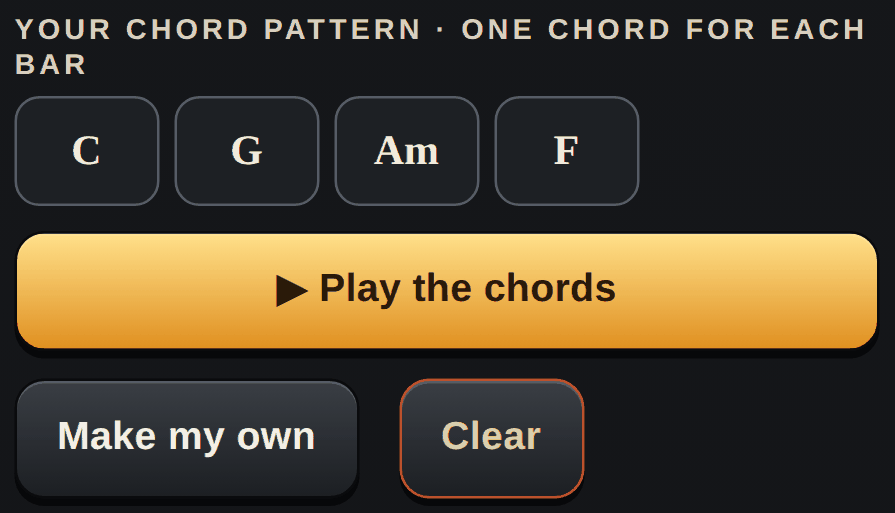
Try it:
- Press Clear, then Make my own.
- Tap four pads. End on pad 1.
- Press Make my own again to stop adding, then press Play the chords.
- Change the Key while it plays. Your pattern moves with it.
Listen for: Ending on 1 sounds finished. Ending on 5 sounds like it wants to go on. Starting on 6 sounds more serious.
Check yourself:
- I made a pattern of my own and played it.
- I can explain why I ended where I did.
Lesson 9 — 34 sounds in eight groups
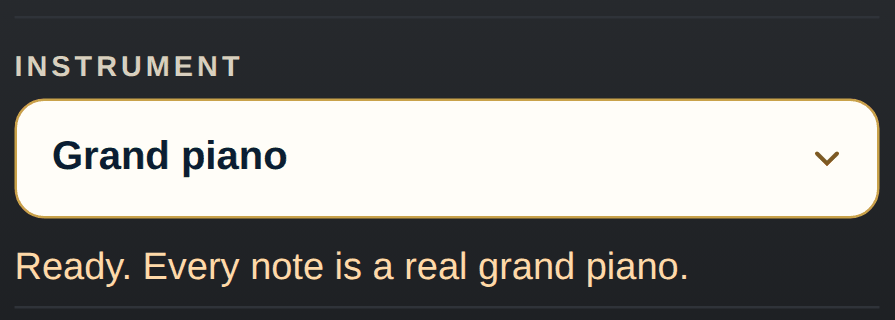
Same keys, different color. That color is called timbre. The Instrument menu holds 34 sounds in eight groups. Here is how each group makes its sound:
- Pianos: felt hammers hit strings. The grand, upright, honky-tonk, bright and soft felt pianos are real recordings. The toy piano's hammers hit metal rods (here a real celesta plays it).
- Electric pianos: hammers hit metal tines (warm) or reeds (bright); a computer chip does the math (FM) for the '80s one; on the clavinet, a rubber tip hits a string (here a real synthesizer copies it). All four are real recordings.
- Organs and accordion: metal wheels spin past magnets (rock and jazz, gospel, '70s rock; here a real 1983 transistor organ plays them); air blows through pipes (church and cinema, real recordings); air pushes through metal reeds (accordion, a real recording).
- Mallets and bells: a mallet or a hammer hits metal bars (celesta, glockenspiel, vibraphone), wooden bars (marimba), a steel drum, or long metal tubes (bells). All of them are real recordings.
- Plucked: a small pick plucks a string (harpsichord, a real recording); fingers pluck strings (harp, a real recording); thumbs or pins pluck metal tongues (kalimba, a real recording; the music box, played here by a real celesta).
- Strings and voices: bows on violins, violas and cellos (soft strings, a real recording); many voices singing “ah” (choir; here one real singer, recorded four times).
- Tape keyboards: each key starts a short tape of real strings or a real flute, as on the keyboards of 1970s prog rock.
- Synths: electronic waves, shaped and softened: the '70s string synth, the warm synth, the '80s synth brass and the synth lead (here a real transistor organ plays them all).
Try it:
- Hold C, E and G on the Grand piano. Listen to it fade.
- Do the same on the Rock and jazz organ.
- Play one pattern on three different sounds. Open Meet the sounds in the Go to menu to hear them all.
Listen for: A piano note fades, because the string slowly stops shaking. An organ note stays as long as you hold it.
Check yourself:
- I can name a sound from each group.
- I can say how a piano and an organ make sound.
Lesson 10 — Play along: the lit keys and the black keys
While the chords play, every key that fits the chord turns pale, in every octave, and a key turns orange while its note sounds. Any lit key fits. Play them in your own order and you are making up a melody.
The five black keys make a pentatonic scale, used in folk music from China to West Africa to the Andes. In the key of F♯, every black key fits.
Try it:
- Pick a pattern, choose Hold, slow the Tempo down and press Play.
- Play the lit keys, one at a time. Follow them when the chord changes.
- Set Key to F♯. Make your own pattern: pads 1, 4, 5, 1. Play only black keys over it.
Listen for: Lit keys always fit the chord under them. Black keys over F♯ never clash.
Check yourself:
- I made up a melody on the lit keys.
- I played a black-key tune over the F♯ pattern.
Lesson 11 — With the drum machine and the turntables
The three music tools share one shelf. A beat from the drum machine shows up on the piano, and a recording from the piano shows up on the turntables.
Try it:
- On the drum machine, make a beat and press Send to the turntables.
- Back on the piano, press Play with my drum beat. The beat now sets the tempo and the swing.
- Pick a pattern and press Play. Try Pulse and Off-beat with the drums.
- Press Send to the turntables. On the turntables, load it from From the piano.
Listen for: The chords land exactly with the drums, round after round.
Check yourself:
- I played my chords with my own beat.
- I sent a recording to the turntables and played it there.
Lesson 12 — The Sound dial: 1987 or 2026
A computer keeps sound as a long list of numbers. The 1987 samplers kept 26,040 numbers a second, each with 4,096 steps of loudness (12 bits). That rough copy is the crunch. A CD keeps 44,100 a second with 65,536 steps.
Try it:
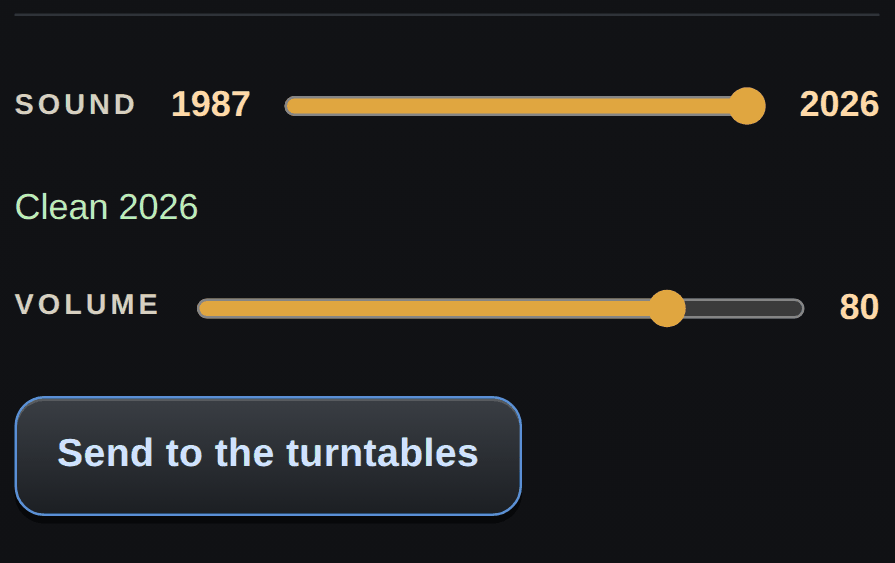
- Pick the Grand piano. Turn the Sound dial all the way to 1987.
- Press Higher ▶ until you reach the top, and play the highest keys.
- Turn the dial to 2026 and play them again. Then find your spot in the middle.
Listen for: On 1987 the high notes fizz and the tone gets darker. On 2026 it is clean.
Check yourself:
- I heard the crunch on the high notes.
- I can explain the crunch with numbers.
Practice plan
Twenty minutes a day for three weeks.
- Week 1: one lesson a day, Lessons 1 to 5.
- Week 2: Lessons 6 to 9. Then play one of the piano's songs a day (the Lesson menu, songs 1 to 17).
- Week 3: Lessons 10 to 12. Then make a track of your own and send it to the turntables.
You've mastered it when you can:
- Find any note without reading the names
- Play a major and a minor chord by hand
- Name the six pads in the key of C
- Make a pattern of your own that ends at home
- Make up a melody on the lit keys
- Play your chords with your own drum beat
- Send a track to the turntables and play it there
When something goes wrong
- No sound at all. Turn Volume up and tap a key once: a phone wakes its sound on the first tap. An iPhone plays even with the silent switch on.
- It says “Getting the grand piano ready…”. The recordings are on their way. Until then you hear a sound made on this page.
- Play does nothing. Pick a chord pattern first, or press Make my own and tap some pads.
- The tempo will not move. Play with my drum beat is on, so the drum beat sets the tempo. Press it again to turn it off.
- Notes keep ringing. Hold notes (pedal) is on. Press it again.
- A phone shows only one octave. Use ◀ Lower and Higher ▶, or turn the phone sideways for more keys.
- A lesson step does not tick. Check that the right lesson is picked. A song's steps tick only while that song is picked.
- No MIDI keyboard yet. Press Use a MIDI keyboard and plug it in. The line under the buttons says when it is ready. No button? This browser cannot use MIDI. On a computer, try Chrome or Edge.